What is WatermarkKit? #
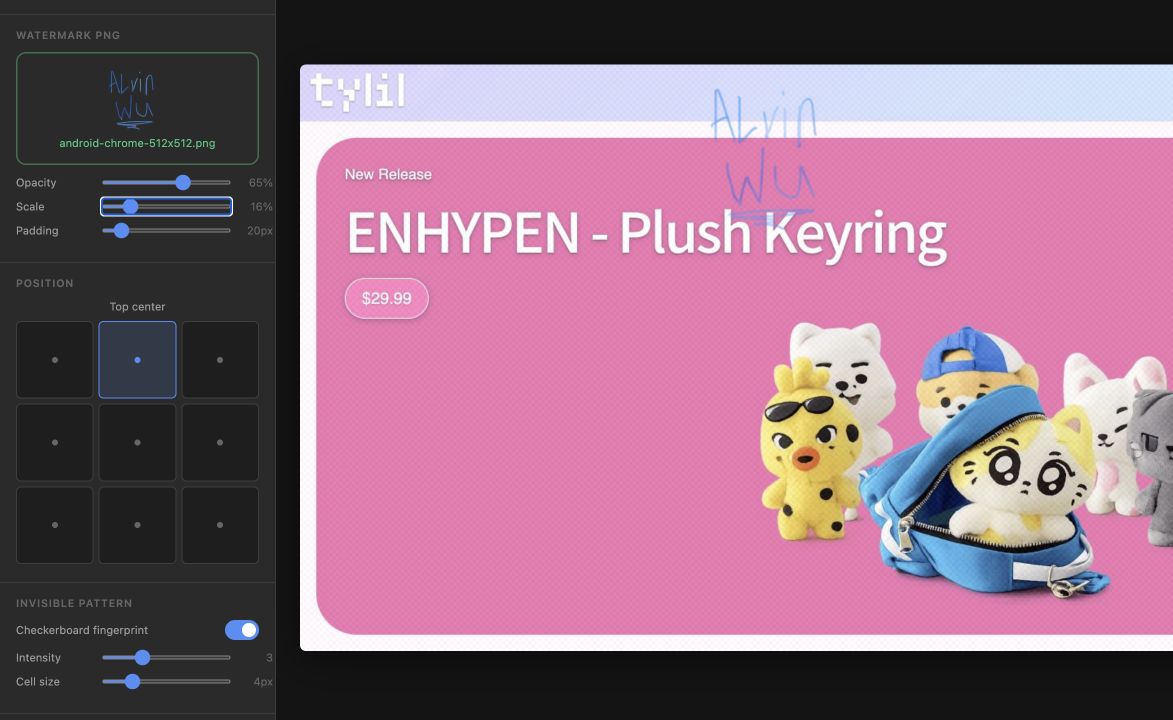
WatermarkKit is a tool I made for adding a watermark to a batch of images. You can upload several images at once, add a transparent PNG as the watermark, and change its size, opacity, padding, and position. WatermarkKit then processes every image using the same settings and lets you download the finished files.
I made WatermarkKit because adding the same watermark to a folder of images is a very simple task that somehow becomes annoying after the third or fourth image. Opening every file in an image editor, resizing the same logo, lining it up, and exporting everything one at a time works, but it is a lot of repeated work. I wanted something where I could set up the watermark once and apply it to everything.
The entire tool runs locally in your browser. Your images are not sent to a server or stored on my website. They are loaded into the page, processed on your device, and forgotten when you close or refresh the tab. This was important to me because a watermarking tool should not need a copy of the original images it is supposed to protect.
Try WatermarkKit #
Add one or more source images, upload a PNG watermark, and adjust the settings until the preview looks right. PNG files with a transparent background work best for the watermark. Once everything is set, click Process All Images and download the finished files from the output section.
App Development #
WatermarkKit was made with HTML, CSS, and JavaScript. I did not use a framework or a back-end server. The interface is a single HTML page and the actual image processing is handled with the browser’s Canvas API.
When a user adds an image, WatermarkKit creates a temporary local URL for it and puts the file into an array. The preview loads the selected image onto a canvas at its original resolution. It then calculates the watermark size as a percentage of the source image’s width. The position picker decides which corner, edge, or center point to use, while the padding setting moves the watermark away from the edge. Opacity is applied right before the watermark is drawn over the source image.
The preview and final export both use the same processing function. I did this so that the downloaded image should look like the preview instead of having two slightly different versions of the watermarking logic. When the user clicks the process button, the app goes through the source images one by one, draws each result, and turns the canvas into a downloadable file. The original file name is kept with _watermarked added to the end.
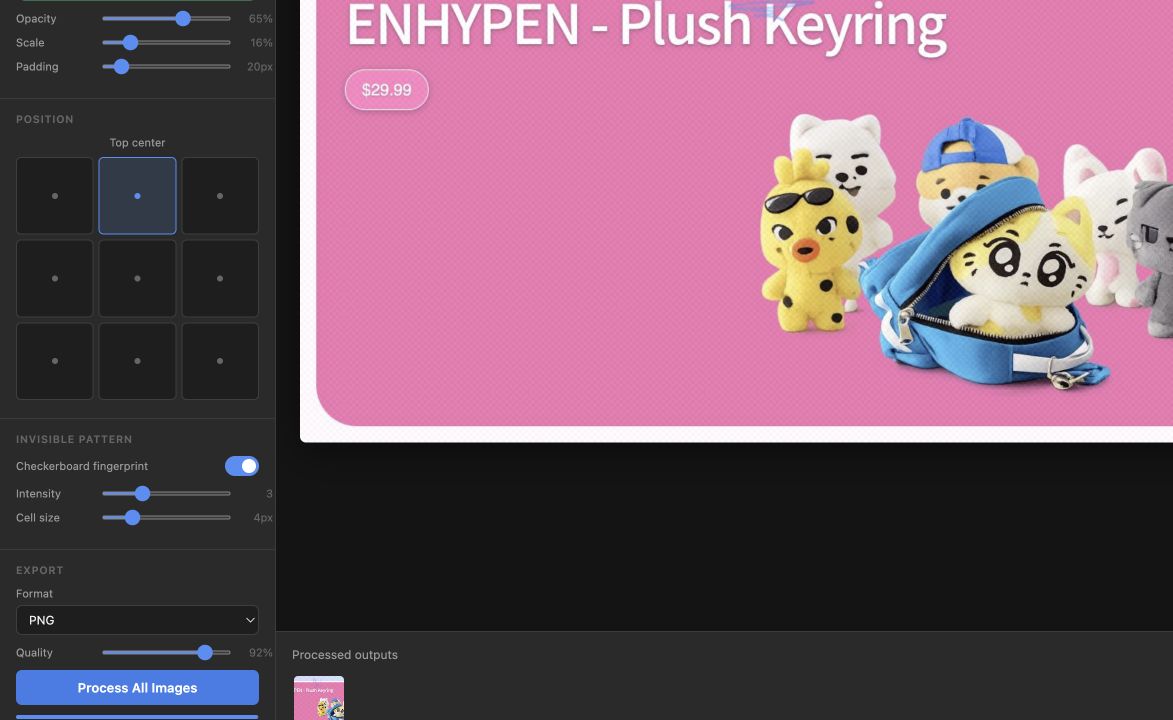
Users can export the result as PNG, JPEG, WebP, or AVIF and adjust the output quality. PNG is the default because it is predictable and does not add another round of lossy compression, although the other formats can make the output much smaller.
The Invisible Pattern #
WatermarkKit also has an optional checkerboard fingerprint. This makes tiny alternating changes to the red, green, and blue values across the entire image. One square is made slightly brighter, the next is made slightly darker, and the pattern repeats. At a low intensity it is difficult to notice during normal viewing, but the pixel pattern is still part of the exported image.
To be completely honest, calling this an invisible watermark might be a little generous. It is not DRM and it cannot stop somebody from taking the image. Heavy compression, resizing, filters, or a screenshot can weaken or completely destroy the pattern. The normal PNG watermark is still the useful part of the app. I included the fingerprint as an experiment and as an extra change to the image underneath the visible watermark.
Limitations and Future Updates #
WatermarkKit works best on a desktop browser right now. The controls take up a fixed sidebar, which is nice when there is enough screen space but not very practical on a phone. Downloading a large batch can also cause the browser to ask for permission to download multiple files because every result is downloaded separately.
If I continue working on the tool, I would like to add a proper mobile layout, ZIP downloads, text watermarks, and saved presets. A preset would be especially useful because most people probably use the same logo, opacity, and position every time.
Anyways, that is WatermarkKit! It is a small tool, but it takes a repetitive job and turns it into a few clicks. That was really all I wanted it to do.
Reply by Email